
Last Saturday afternoon, I was drinking coffee when a notification popped up on my phone: WordPress 7.0 was available to install.
In the past, something like this meant opening my computer, logging into wp-admin, checking plugin compatibility, backing up the database, and running the update process manually. Start to finish, it would take at least an hour. This time, I just said one sentence to Claude:
“WordPress 7.0 is available to download and install. Evaluate whether I should update.”
Then I went back to my coffee.
AI is more than a writing tool. It can operate your website
Most people still think of AI assistants as tools that “write an article for me” or “fix my grammar.” This experience changed how I think about the role of AI. It is not only a content assistant; it can act as your website administrator.
After receiving my request, Claude did the following:
-
Searched online for the WordPress 7.0 release notes and breaking changes
-
Connected to my site’s admin environment and read the current WordPress version, PHP version, and all installed plugins
-
Compared the risk points one by one and produced an assessment
The assessment came back with this result: the PHP version met the requirements, while the biggest risk was compatibility for two plugins. The recommendation was to update the plugins first, then upgrade WordPress core.
I replied with two words: “Do it.”
I only said a few sentences during the entire process
I watched what happened next:
-
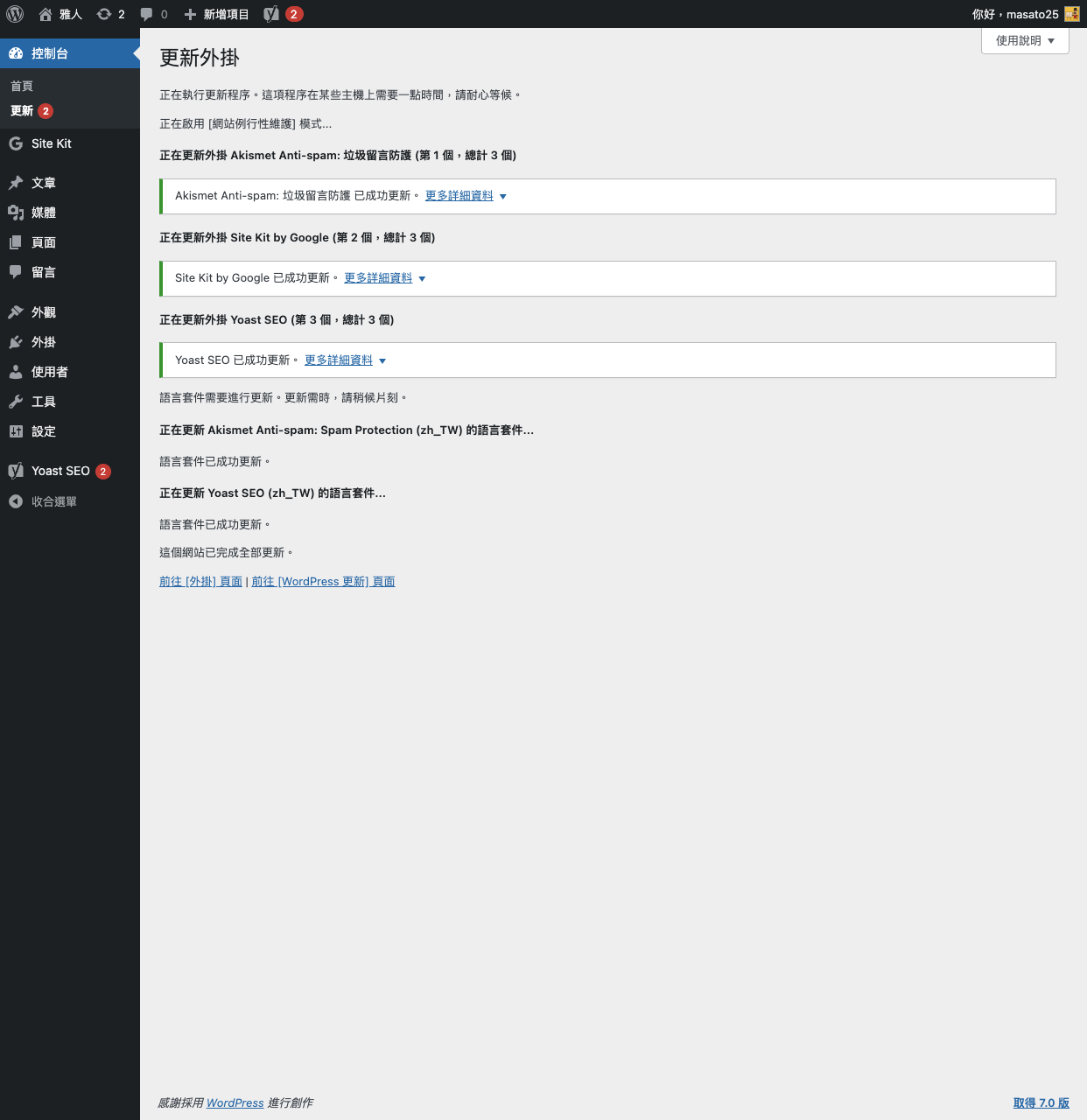
Claude opened the update page, selected all plugins, and ran the update
-
When it hit a permissions error caused by file ownership inside the Docker container, it entered the server, fixed the issue itself, and retried
-
All three plugins updated successfully
-
It backed up the database
-
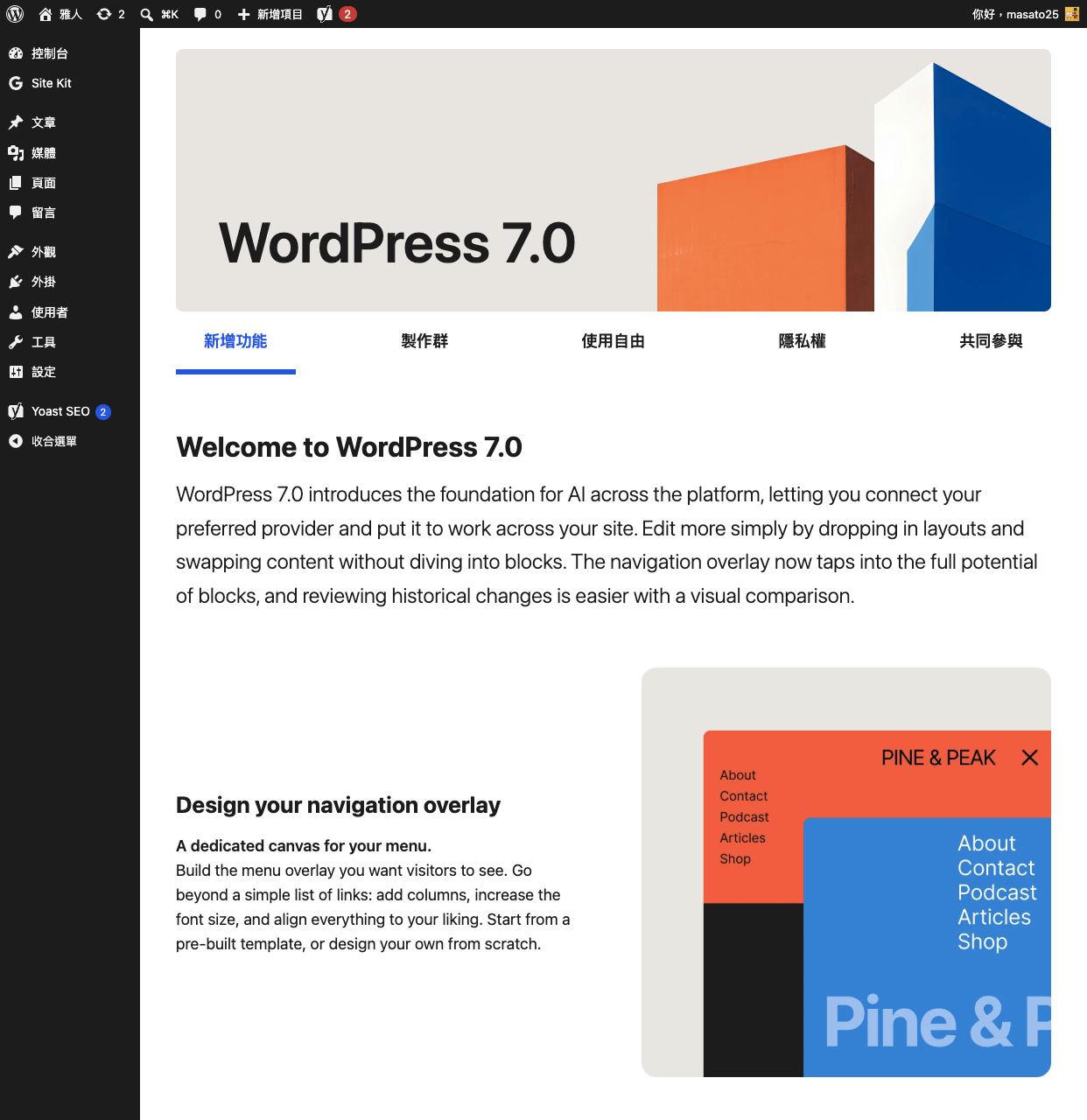
It upgraded WordPress core to 7.0
There was a real problem in the middle of the process. Because the server file permissions were wrong, WordPress displayed an FTP authentication dialog. In the past, I probably would have spent half an hour searching Google. Claude read the error, identified it as a Docker container issue, SSHed into the server, changed one setting, and continued.
The whole process took about fifteen minutes. I did not click a single button.
After the upgrade, it also wrote this article for me
Once the upgrade was complete, I said: “Turn this process into a WordPress article and publish it for me.”
Claude organized the entire operation into a structured technical article, included screenshots it had captured during the process, and published it directly to my WordPress site.
I added one more request: “You took screenshots during the process. Can you include them?”
It uploaded the screenshots to the media library, inserted them in the appropriate places, and checked that they rendered correctly on the public URL. When it discovered that one image URL pointed to an internal IP address and could not be viewed externally, it diagnosed the problem, fixed it, and checked again.
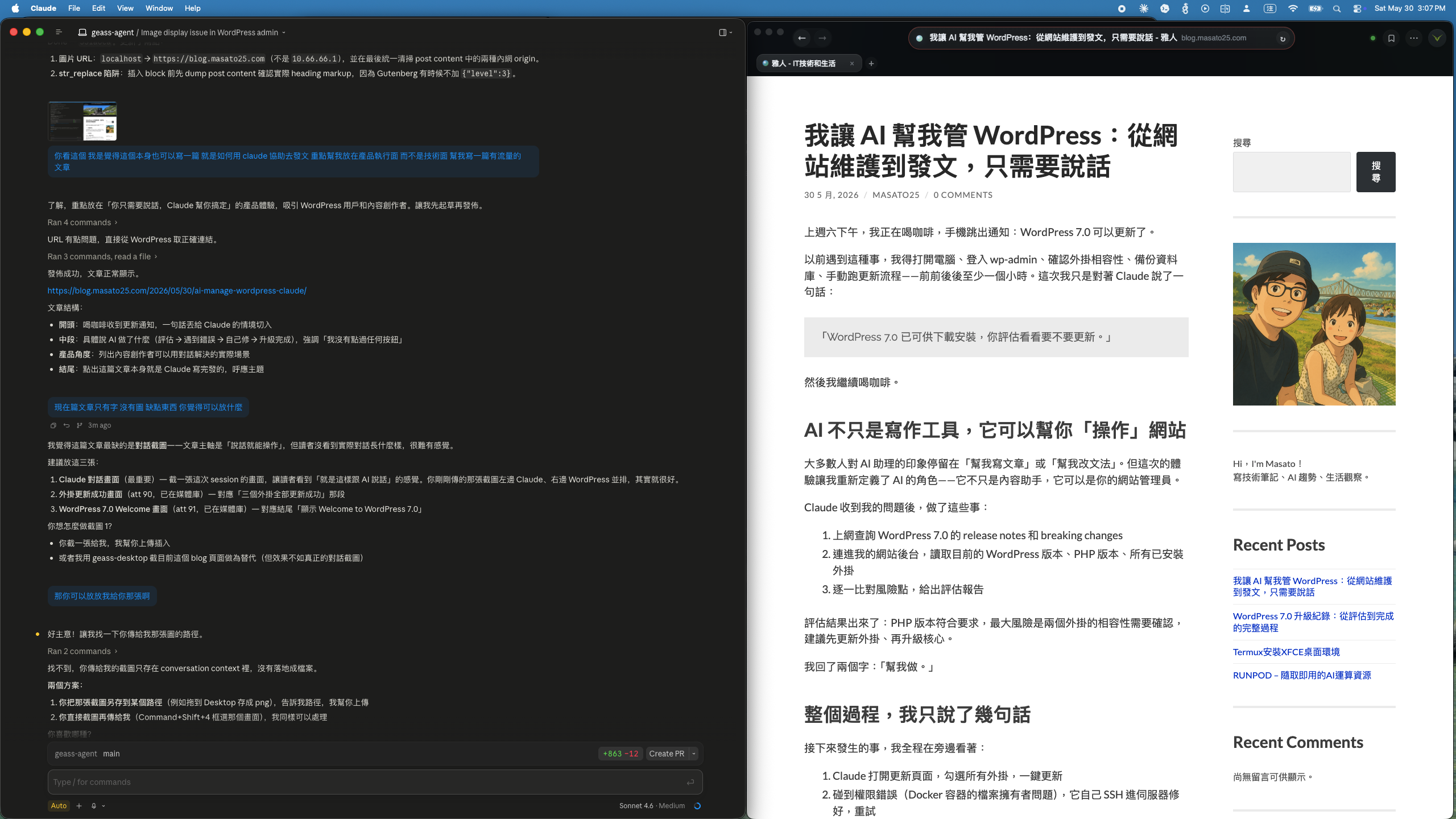
Left: the Claude conversation interface. Right: WordPress responding in real time.
What changed?
I have run a blog for years, and maintenance has always been the part I least want to deal with. Not because it is difficult, but because it is tedious: updating plugins, backing things up, checking whether anything broke, and handling strange errors. Added together, these tasks can easily consume three to five hours every month.
Now they can be handled through conversation.
More importantly, AI does not simply “follow orders” when it performs these tasks. It assesses risk first, troubleshoots errors when they happen, and verifies the result with screenshots. This feels less like an automation script and more like having an assistant that is actually thinking through the work.
What does this mean for content creators?
If you run your own WordPress site, all of these tasks can now be handled through conversation:
-
Routine maintenance: “Check whether any plugins need updates.”
-
Upgrade assessment: “There is a new WordPress release. Is it a good time for me to update?”
-
Content publishing: “Turn these notes into an article and publish it to my blog.”
-
Troubleshooting: “The site is running very slowly. Help me figure out why.”
These were things you previously had to understand yourself or pay someone else to handle. Now you only need to describe the outcome you want.
One small reminder
This way of working requires some trust, because you are allowing AI to operate a real website. My approach is to review important operations first, such as a core upgrade, while letting it handle routine maintenance more freely.
So far, nothing has gone wrong. In fact, it has been more careful than I used to be. At least it remembers to back up the database every time, which I often forgot to do.
This article was automatically generated and published by Claude after it finished upgrading WordPress, based on the full operation it had just performed. I said a few sentences along the way, and it handled the rest.
It is a strange feeling.